

How to Create a Personalized Mood Board for Your Home Makeover (Step-by-Step!)

You’ve probably stared at endless design options and felt stuck before your home makeover even begins. That overwhelm can make picking colors, styles, and layouts feel impossible. Creating a mood board solves this by turning your ideas into a clear visual plan you’ll love. In this guide, you’ll learn how to create a mood board that reflects your style and sparks confident decisions for your space! Learn more here.
Setting Your Mood Board Goals
Kickstart your room makeover with a clear vision! A mood board helps you outline your goals, ensuring every design choice aligns with your dream space. Let's dive into defining your room's purpose and the vibes you want to create.
Define Your Room Makeover Vision
Do you want a cozy reading nook or a lively family room? Start by asking yourself what you want from the space. Consider activities that will take place there. Picture your ideal outcome — a place to relax or entertain? Write down these objectives.
Next, think about functionality. Maybe you need extra storage or a spot for your plants. Jot down these practical needs too. By identifying both desires and necessities, you ensure your room makeover is both beautiful and functional.
Finally, set boundaries like budget and timeline. Knowing these limits will keep your project on track and stress-free. Remember, a well-defined vision is like a roadmap to a successful makeover.
Pinpoint Your Style Inspiration
Where do you find your style inspiration? Pinterest and design blogs are great starting points. As you explore, notice what draws your attention. Is it a particular color palette, texture, or piece of furniture? Save these images for later.
Think about your favorite places. Maybe a boutique hotel or a friend's home left a lasting impression. What elements did you love? Was it the warm lighting or the eclectic art? Reflect on these spaces to determine what you want in your home.
Lastly, consider how your mood board can reflect your personality. Whether you love vibrant colors or muted tones, let your style shine through. This personal touch will make your space uniquely yours.
Gathering Your Design Elements
With your goals set, it's time to gather the pieces of your design puzzle. This includes selecting colors, images, and textures that will bring your vision to life. Let's start with choosing a color palette that makes your heart sing.
Selecting a Color Palette for Home
Colors set the mood for any room. To choose the right palette, start by considering your favorite colors and the feelings they evoke. Do you want a calming, serene space or an energetic, vibrant one? Use these preferences to guide your choices.
Research popular color trends. Websites like Style Sourcebook offer a wealth of color ideas. Mix and match different shades to find combinations you love. Remember, colors can affect your mood, so choose wisely!
Don’t forget neutrals like beige or gray. These provide a great backdrop and can make bold colors pop. By balancing bright hues with softer tones, you create a harmonious and inviting space.
Collecting Images and Textures
Images and textures add depth to your mood board. Start by collecting photos of rooms that inspire you. These can be from magazines, online resources, or even your personal photos. Greenhouse Studio has some great tips on sourcing these elements.
Think about textures that appeal to you. Do you prefer the softness of velvet or the sleekness of metal? Fabrics, woods, and metals all have distinct textures that can transform a room’s feel. Include samples or swatches if possible.
Create a collection of these elements. It’s like gathering a toolkit full of inspiration. This collection will serve as a springboard for your mood board, making it easier to visualize your dream space.
Assembling Your Mood Board
Now, it's time to put it all together! Whether you prefer digital or physical, assembling your mood board is where creativity really blossoms. Let's explore how to craft your board using different tools and tips.
Using a Digital Mood Board Template
Digital mood boards are versatile and easy to update. Tools like Canva offer templates to get you started. Simply upload your images and arrange them to your liking.
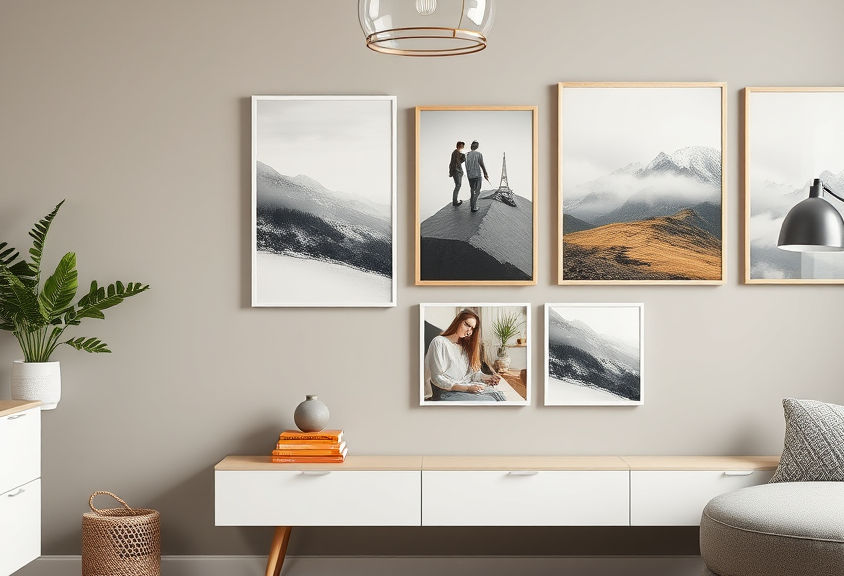
Begin by placing your main color palette at the center of your board. This becomes the anchor for your design. Next, add images and textures around it, experimenting with different layouts. Shift elements until you find a composition that feels right.
Digital boards allow for quick edits. If a color or image doesn’t fit, swap it out effortlessly. This flexibility makes digital mood boards a favorite among designers and DIY enthusiasts alike.
Tips for a Pinterest Mood Board
Pinterest is a treasure trove of inspiration. To create a mood board here, start by creating a new board for your room makeover. As you browse, pin images that resonate with your vision and goals.
Keep your board organized by using sections for different elements: colors, furniture, decor, and textures. This helps you see how each piece works together. Centered by Design offers additional tips for keeping your Pinterest board uncluttered.
Remember to review your board regularly. Remove anything that no longer fits your vision. This ensures your mood board remains a true reflection of your style and helps guide your design decisions.
🎨🖼️✨
By following these steps, you'll craft a mood board that not only reflects your unique style but also guides your makeover with clarity and confidence. Happy designing!
Comments